Astra middleware
When configuring Astra, you can specify Muo as middleware to verify viewers’ access to channels.
The integration works as following:
sequenceDiagram
    actor Viewer
    participant Astra@{ "type": "boundary" }
    participant Muo@{ "type": "control" }

    Viewer->>Astra: (1)
    Astra->>Muo: (2)
    activate Muo
    Muo->>Astra: (3)
    deactivate Muo
    Astra->>Viewer: (4)
- Viewer wants to watch a channel, requests it from Astra
- Astra queries Muo about permission of viewer to watch a given channel. I.e., if the device limit is met.
- Modifies internal statistics, allows watching
- Astra starts broadcasting the channel
Muo endpoint for Astra
Section titled “Muo endpoint for Astra”The URL for verification service:
GET %Path from Astra to Muo%/astra/authFor example,
GET http://localhost:3000/astra/authModeration and monitoring
Section titled “Moderation and monitoring”Let us assume, that your clients watch livestreams from the playlist you’ve shared.
As the service is used, Astra will check with Muo to determine whether the viewer is authorized to watch this channel. For example, it will verify whether the device limit for the viewer has been exceeded.
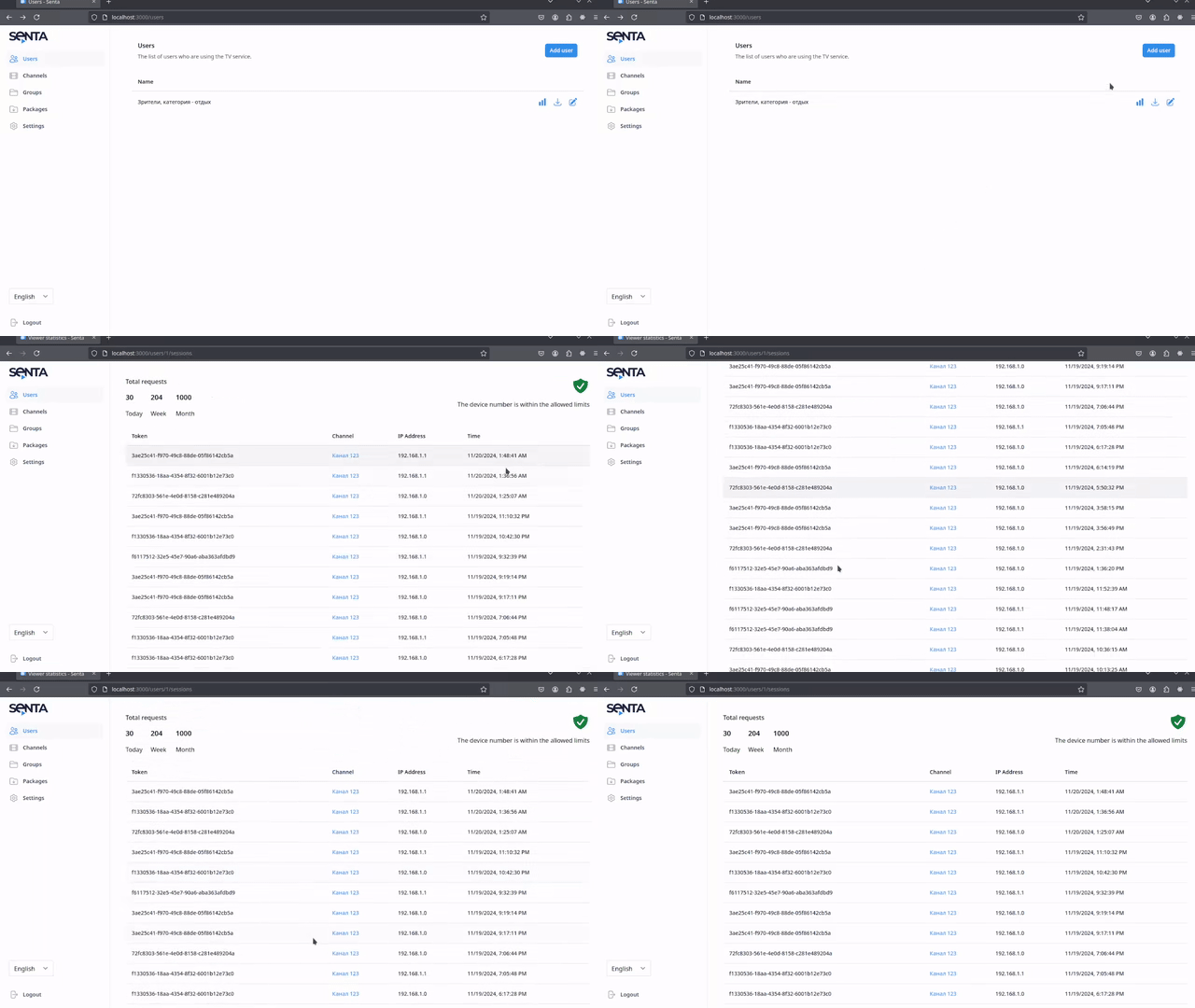
You can view channel opening statistics on the relevant screen.
Viewer statistics
Section titled “Viewer statistics”As viewers watch channels from the playlist, Muo will collect usage statistics. You can view the latest statistics in the viewer list or on the edit screen.
Device limit
Section titled “Device limit”Requests from viewers to open a channel will be approved if:
the number of unique IP addresses per day does not exceed the device limit for that viewerand will be rejected otherwise.