Organizing media
Esta página aún no está disponible en tu idioma.
Let’s learn the options you get from Muo for organizing your media channels.
Channels
Section titled “Channels”Channels - are the sources of content your clients receive. For example, audio or video.
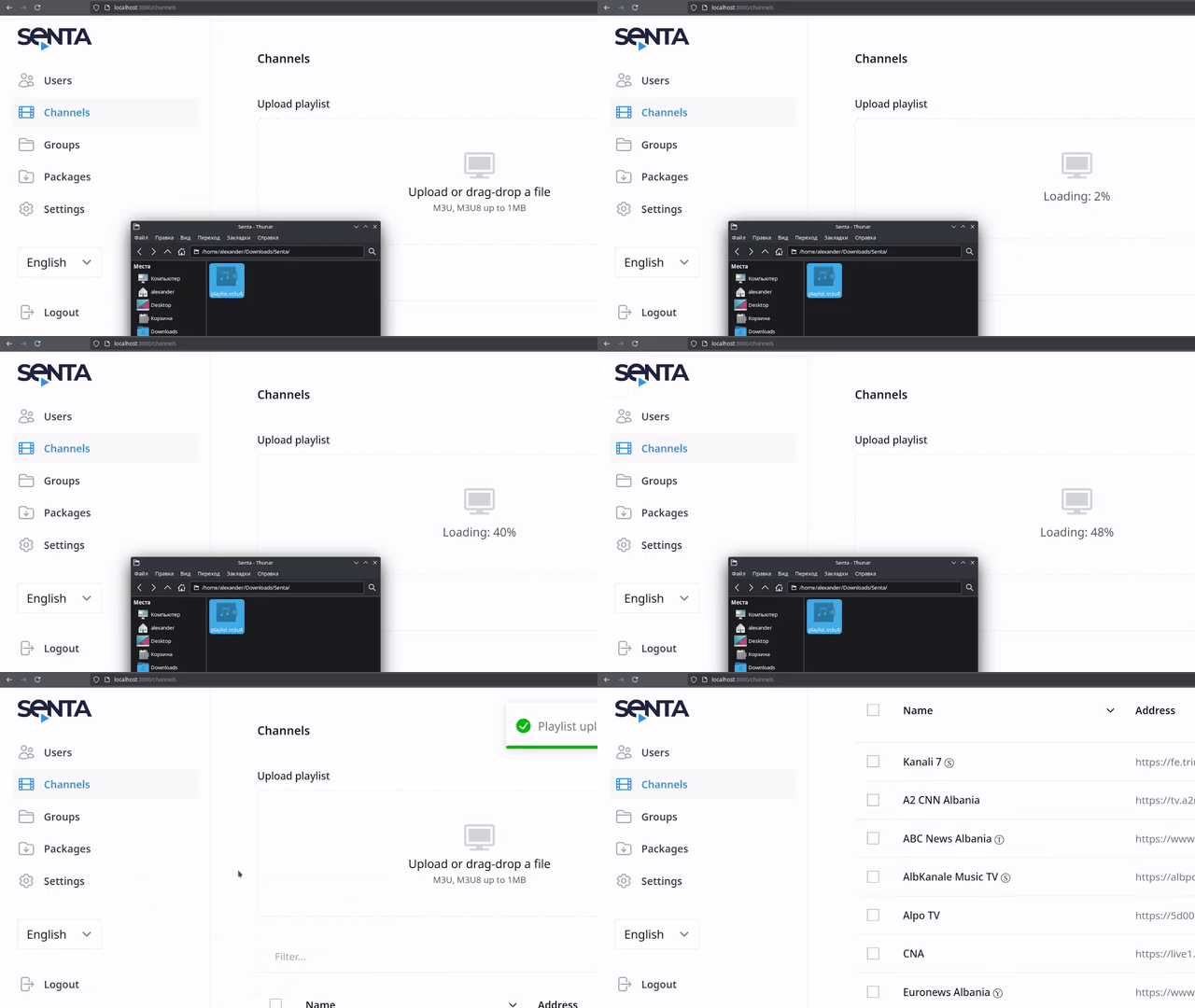
The easiest way to add channels - is to upload an .m3u8 playlist, downloaded from Astra.
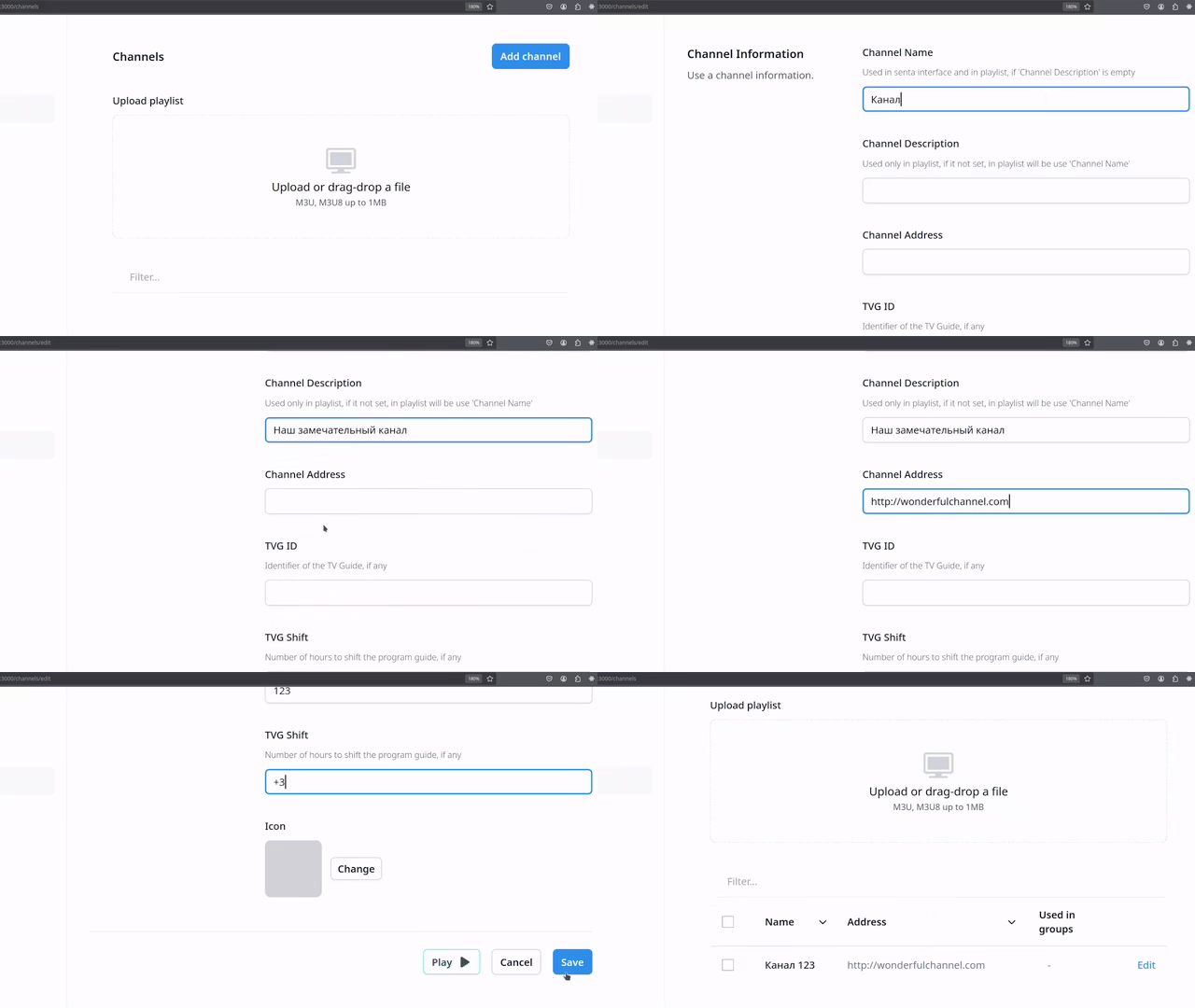
You can also create a channel manually, via a dedicated form.
For organizing channels, we offer two categories: groups and packages.
Channels are united to groups by their theme, and groups are united to packages by their commercial context.
Groups of channels
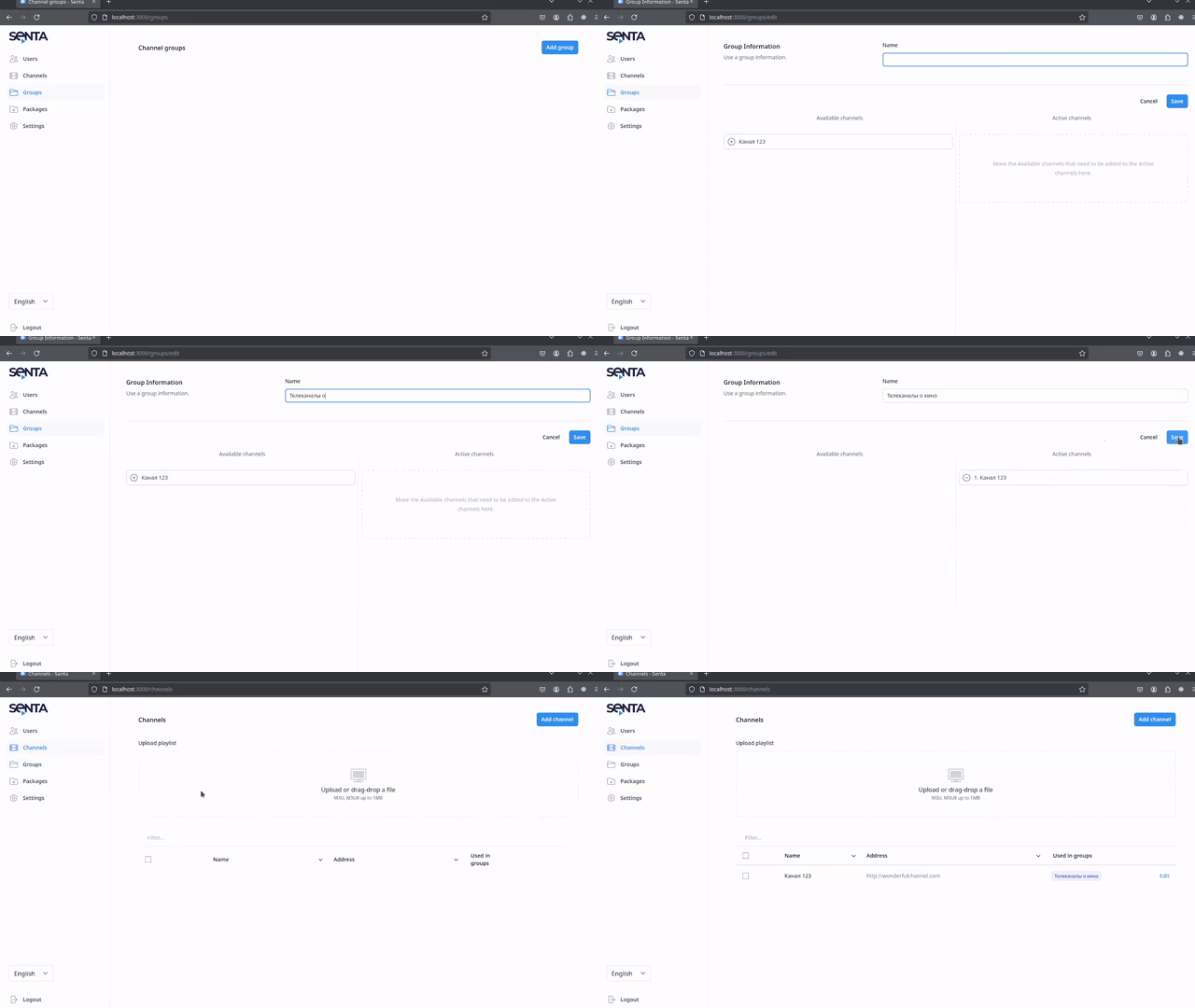
Section titled “Groups of channels”You can create a new group on a respective page, by clicking an Add group button. Specify the name and select the channels for this new group.
Press Save to confirm the changes.
Packages of groups
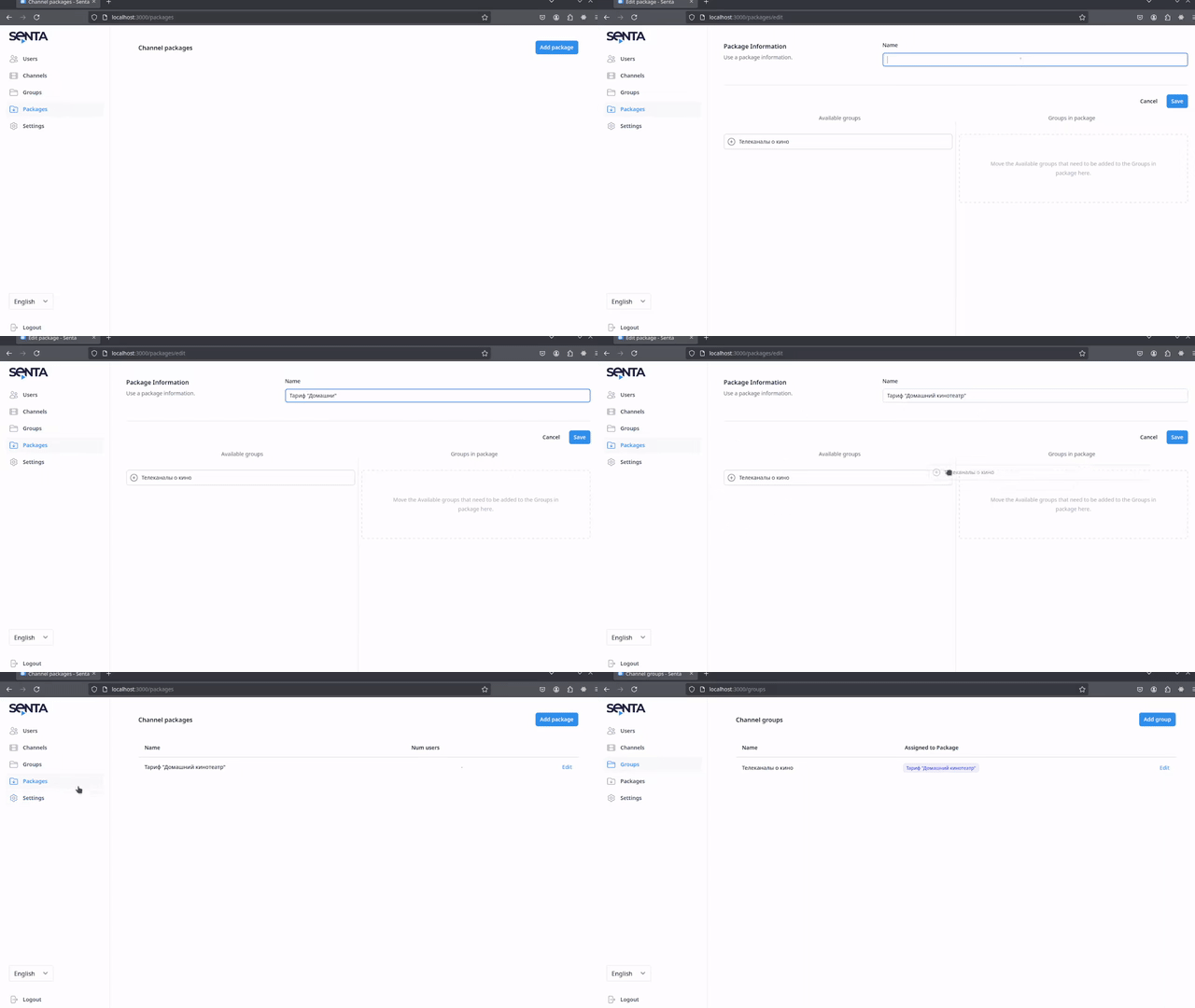
Section titled “Packages of groups”Creating a package is similar to creating a group. On the Packages page, click Add a package, specify the name and select groups for this new packages.
Click Save and new package is created!
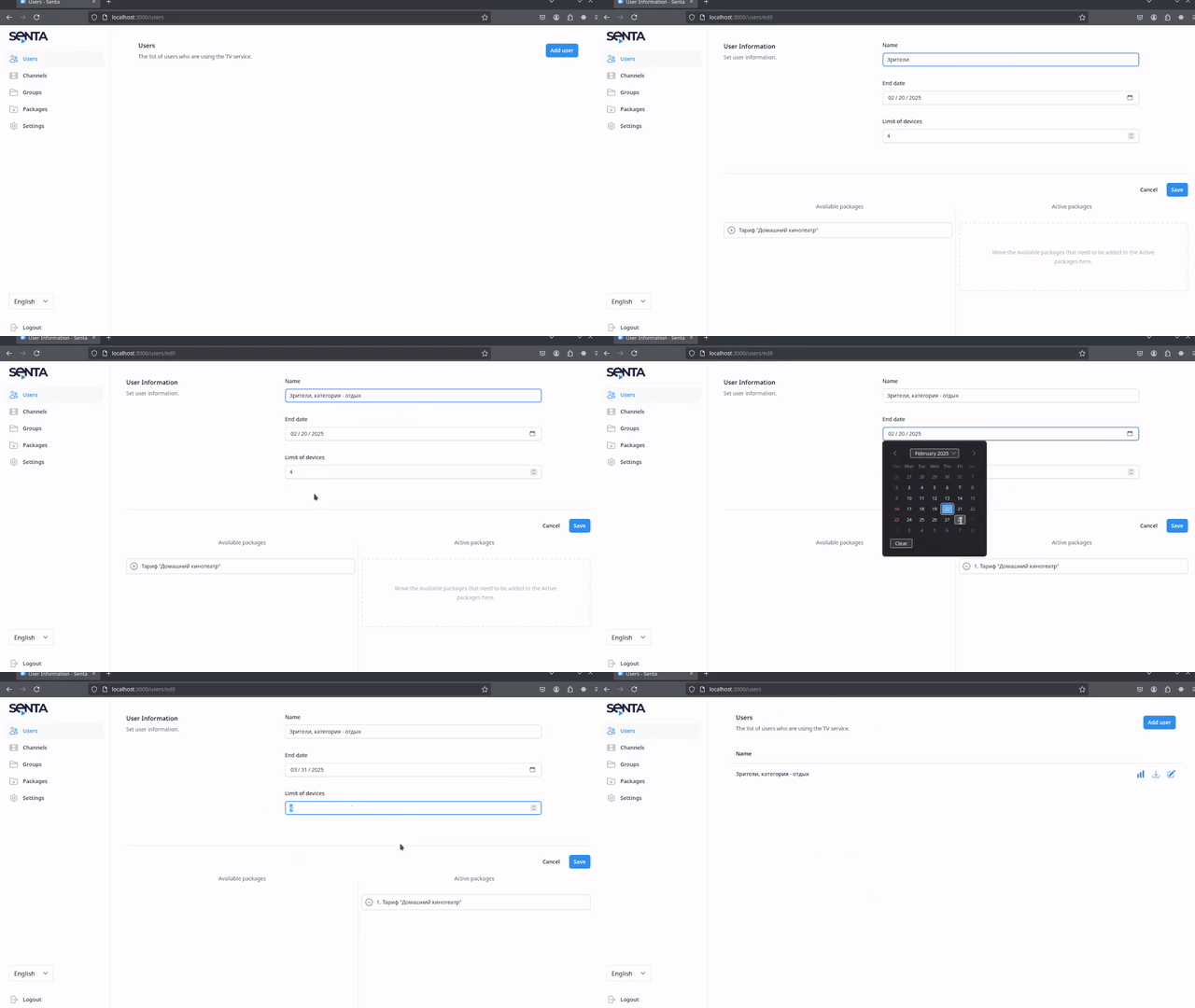
Viewers
Section titled “Viewers”Viewers are the clients of your business. You create a viewer category on the Viewers page. Specify the name of viewer category and select the packages, available to them.